
Watch it work
See exactly what your agent is doing as it does it — every click, every step — live on your Mac or mirrored to your phone. Nothing happens out of sight.
Some jobs are just faster if the agent does them — clicks the buttons, fills the forms, works the apps. OpenBurnBar lets it, on a leash you hold. It does nothing you didn't allow, you can watch every move, and you can stop it in an instant.
Direct download · behind your grant
See exactly what your agent is doing as it does it — every click, every step — live on your Mac or mirrored to your phone. Nothing happens out of sight.
Hand off the busywork — fill the form, pull the data, click through the flow. The agent drives a real browser while you keep your hands free.
Beyond the browser, the agent can use your apps the way you would — when you grant it that reach, and never before.
Run it tap-by-tap, approving every action. Or set the boundaries once and let it move freely inside them. You choose how much rope, per task.
Mark windows, sites, and screen areas the agent may never touch — password fields, your banking tab, anything private. Deny always wins.
Every action the agent takes is written to a record that can't be quietly edited after the fact. You can always see precisely what happened.
Same agent, three ways to talk to it. Ask in plain language, watch it work the Mac command line, or drop into a live terminal yourself. Switch with one tap.
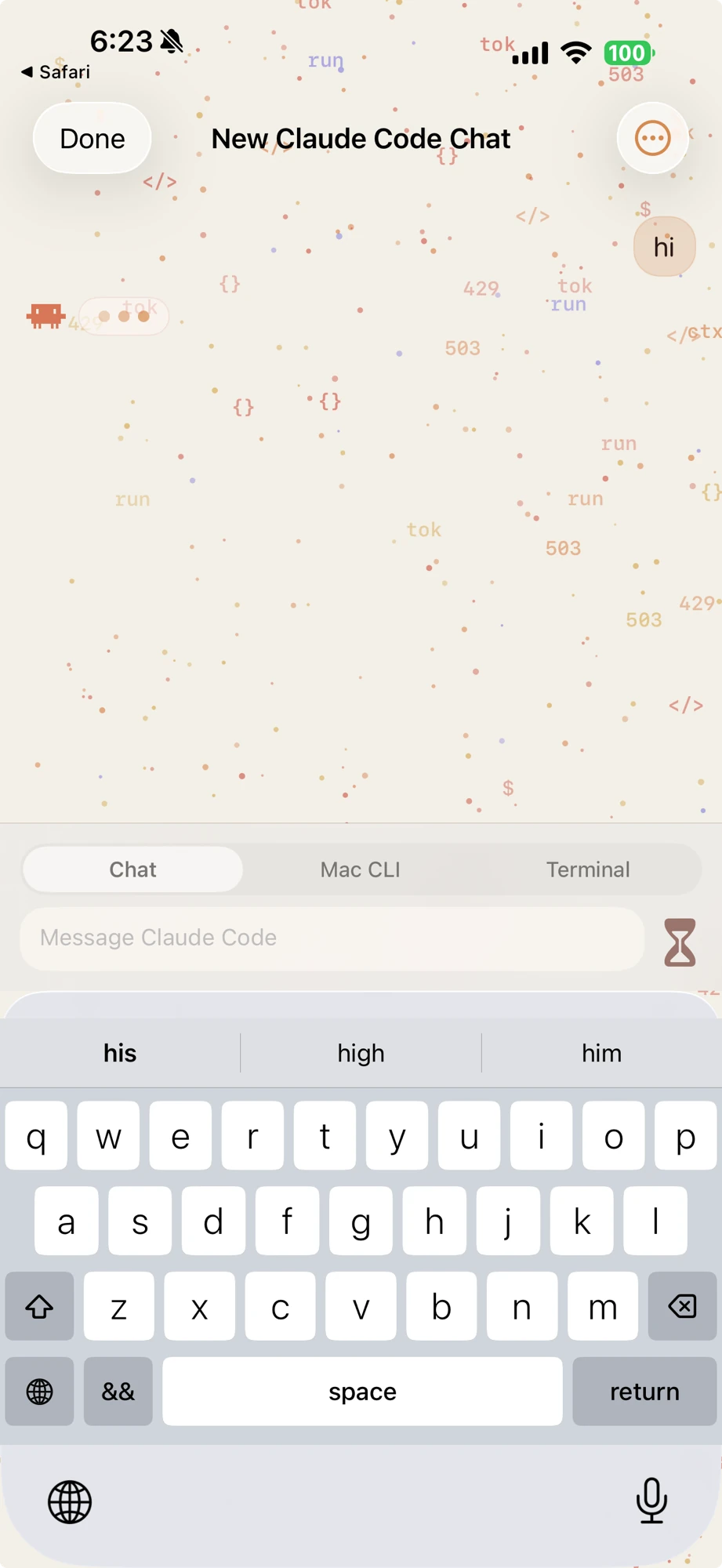
Real app · chat · Mac CLI · terminal switcher
Tell the agent what you want in plain language. It works out the steps and does them — the friendliest way in, and the default.
Follow the agent as it drives your Mac's command line, step by step — see every command before it runs.
Drop straight into a live terminal when you'd rather drive it yourself — the agent steps aside.
Three settings, your call per task. Start cautious; loosen it only when you trust the job.
The default. The agent can read and answer, but it can't touch anything. Most people stay here.
It proposes each action and waits. You see what it's about to do — with a picture — and approve or reject, one at a time.
Set the boundaries once and let it move freely inside them. The moment it tries to step outside, it stops and asks.
Power like this only belongs to a tool you can trust completely. So the brakes come first.
Agent Control comes with the direct download of OpenBurnBar. It stays off until you turn it on — and you can always turn it back off.